
The matching-desk trap
Symmetry decides the height, monitor position and storage before either person's body, equipment or workday is understood.
The shared office / Cooperation without compromise
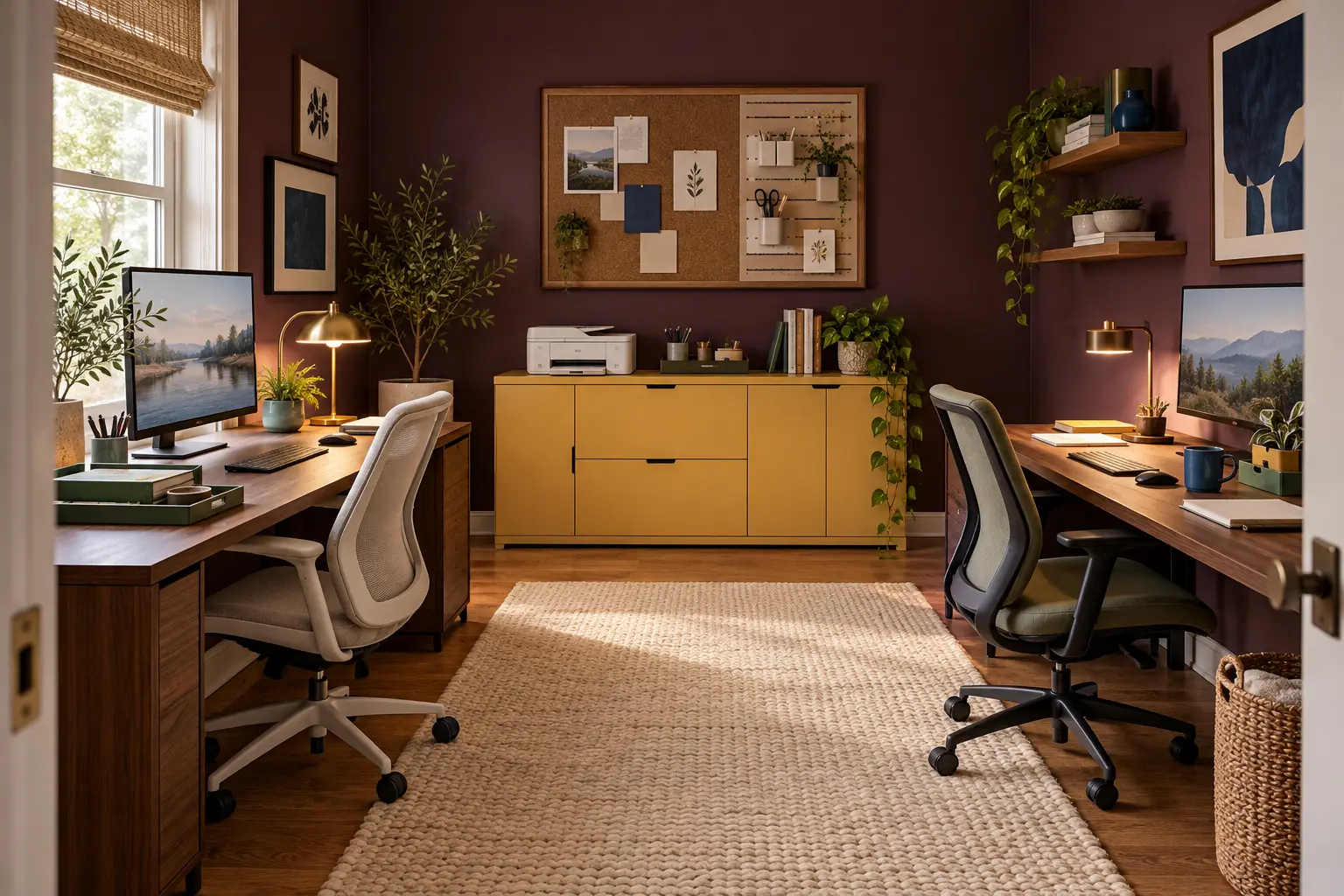
Duplicate what touches the body or must work simultaneously; share what serves the room. Give each person an independently adjustable chair, screen position, keyboard-and-mouse reach, task light and personal landing tray. Consolidate the printer, charging, paper, files and occasional tools into one shared service spine.
1. Diagnose the wrong kind of sharing
Symmetry decides the height, monitor position and storage before either person's body, equipment or workday is understood.
There is one charger, one call-friendly background or one clear surface precisely when both people need it.
Two printers, two paper stashes and two supply towers consume the room even though neither pair is used at once.
Cables, cups, confidential papers and borrowed tools drift across the boundary because nobody knows where shared things return.
2. The free two-workday friction log
3. The original office map
This is an ownership-and-return map, not a universal floor plan. The spine can be a cabinet, closet, cart or wall; what matters is that both people can reach it without entering the other person's body-facing work zone.
The creative idea: install a visible “busy edge.” Give each person one small reversible marker at the outer edge of the desk—cobalt for available, butter yellow for focus or live call. It communicates without turning the room into a workplace dashboard. Use a card, coaster or clip you already own.
4. Duplicate, share or skip
The more an item affects posture, privacy or simultaneous work, the less it should depend on sharing. The less frequently it moves, the more confidently it can live on the common spine.
| Condition | Decision | Examples | Avoid |
|---|---|---|---|
| It touches the body or fixes the viewing position for hours | KEEP INDIVIDUAL | Chair, primary screen, keyboard, mouse and task light | A one-height matching setup that fits neither person well |
| Both people use it, but rarely at the same moment | SHARE | Printer, scanner, paper stock, reference books and charging shelf | Two half-empty cabinets and two small printers |
| Both people need it at the same time | DUPLICATE OR SCHEDULE | Headsets, call lights and frequently used chargers; otherwise reserve time | A shared item that triggers daily negotiation |
| It contains private, regulated or employer-owned material | SEPARATE + SECURE | Follow the employer, client or household privacy rule | A communal tray because it looks tidier |
| It is portable and used only weekly | ONE MOBILE KIT | A labeled caddy or cart that returns to the spine | Permanent duplicates occupying both desktops |
| One person depends on accessibility equipment | DESIGN AROUND THAT USER | Protect the complete reach, transfer and route requirements | Averages, symmetry or this article's illustrative dimensions |
5. Worked example / 10 × 12-foot spare room
The household already owns two 48-by-24-inch desks, two task chairs, two monitors, one printer, a small drawer unit and a 60-by-18-inch credenza. Calls overlap for about 90 minutes most days. The original face-to-face plan looks neat, but screens reflect the window and both chairs fight for the center.
Result: two body-fit workstations, one shared service point, one reset rule and no second printer. The desks need not match; their common walnut tone, repeated task-light shape and the butter-yellow spine give the room a deliberate visual system.
Two measured references—not a shopping list
SHARED LIGHTWEIGHT TOOLS / vertical spine
IKEA's U.S. listing gives this combination a 30-inch width, 22-inch height and 4¾-inch depth, with a shelf, container and clip, at a listed $44.48. Screws are sold separately, and IKEA warns that the board must be securely anchored with fasteners suited to the home. It can organize light shared items; it is not file security, equipment storage or permission to obstruct a route.
Check current components, dimensions, installation, price and availabilityONE-PERSON DESK / or staggered-use table
The current walnut-veneer/black listing is $429.99, includes cable management, adjusts from 25⅝ to 33½ inches during assembly and requires leg reassembly to change height. IKEA lists a 110-pound maximum load. Its 63-inch width does not automatically make it a comfortable two-person computer desk: taped into equal halves, each lane is only 31½ inches wide. Treat it as one full station or a shared table for staggered use unless both real setups pass the fit test.
Check current measurements, height method, load, materials, price and availabilityOrdinary non-affiliate links; no sponsorship, paid placement, hands-on test, stock claim or brand relationship is implied. U.S. prices and specifications were checked October 16, 2026 and can change.
When this advice does not apply
A clinician or employer has specified equipment: follow that individualized guidance and the employer's workstation process, not an editorial layout.
A mobility device, transfer, caregiver or reach range must be accommodated: plan around the actual person. Do not treat a 36-inch route as a complete accessibility solution.
Work involves health, legal, financial, educational or other protected information: follow the applicable privacy, records and employer rules. A shared credenza is not secure merely because its doors close.
Both jobs involve constant speech, recording or confidential calls: scheduling, a separate room or an employer-provided solution may be more effective than decorative acoustic panels.
Circuits, outlets or cords run hot, spark, trip or require daisy chains: stop using the setup and consult an appropriate qualified professional. This feature does not design electrical capacity.
The wall is rented, fragile or unknown: use a reversible freestanding organizer or get written permission; install wall products only with appropriate fasteners and instructions.
The fourteen-answer shared-office brief
Primary government and merchant sources checked October 16, 2026. The two-workday friction log, two-private-lanes/one-shared-spine map, busy edge, 2 + 1 office pact and worked room are original household planning tools—not ergonomic, accessibility, occupational, acoustic, privacy, electrical or installation standards.
Merchant links are ordinary references selected for reader usefulness. No affiliate tracking, sponsorship, paid placement, hands-on testing, audience metric, completed-client work or guaranteed availability is claimed.
Read our editorial standards · Relevant brand partnership inquiries