The Elevated Estate
Partnerships
Menu

The quiet media wall / Power, signal, storage

Let the wall
stay quiet.

How do you hide TV cords without creating an unsafe wiring shortcut?

Keep ordinary power cords out of the wall cavity. First remove unused cables and map the nearest outlet; then hide the shortest honest route behind furniture, inside a suitable surface raceway, or with a purpose-built in-wall power solution installed exactly as directed. A cleaner wall should make the setup easier to understand—not conceal a permanent extension-cord workaround.

Written and edited by Christina Hines · September 30, 2026
Safety and product sources checked on the publication date

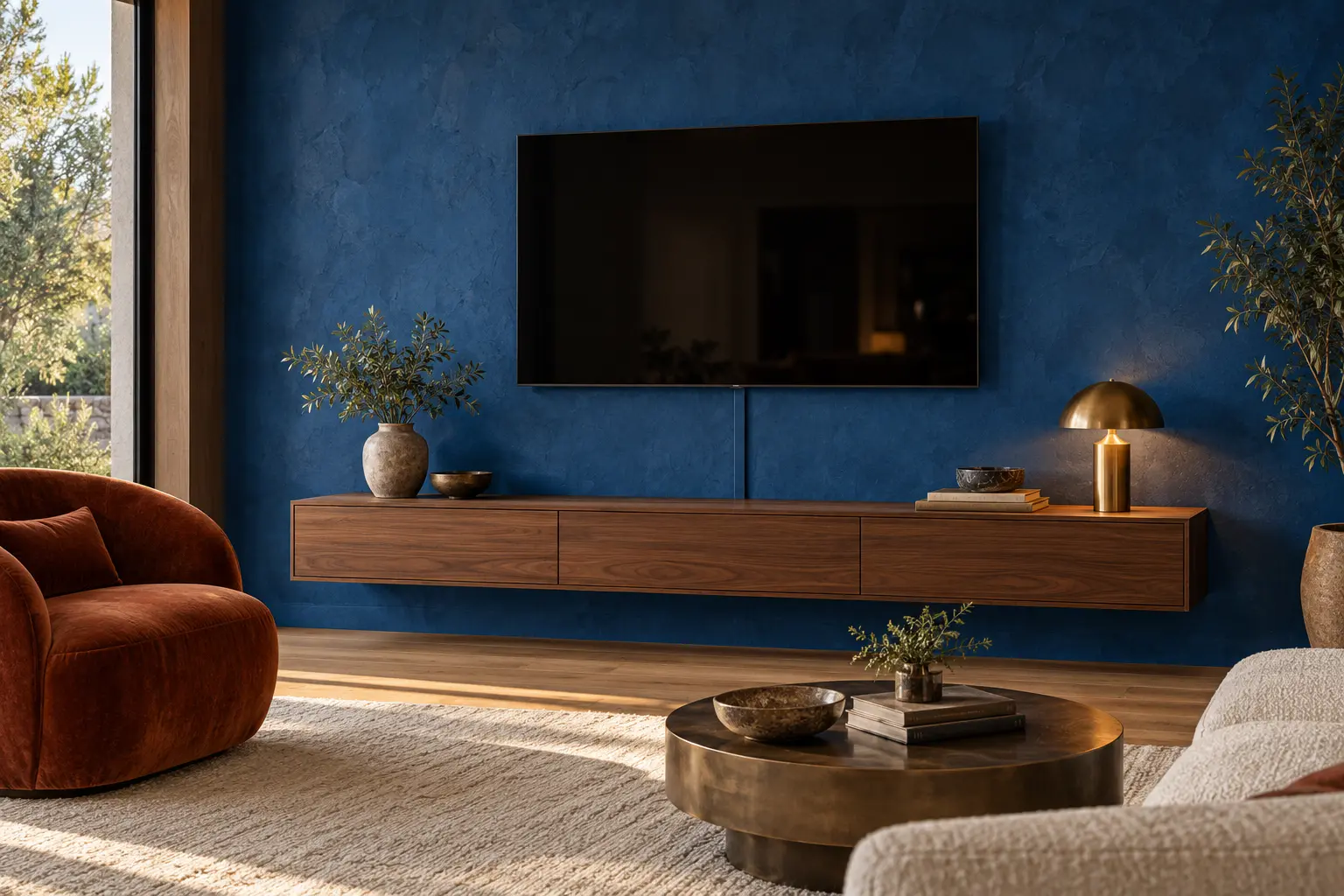
Cobalt media wall with a wall-mounted television, floating walnut console and one straight paint-matched cable raceway
The visual idea: one deliberate line. Aligning a paint-matched surface route with the television and a console seam can make necessary cable management feel architectural. AI-generated room concept; not a technical installation drawing, completed client project or exact retail product.

1. Diagnose before you disguise

The cable pile is three different problems.

Do not bundle everything first and ask questions later. Power, signal and excess slack have different jobs, bend limits and safety instructions.

01

Power

TV, soundbar, console and streaming-device power. Identify what plugs into the wall, what plugs into a listed power strip and whether every original cord reaches without an extension.

Never turn a standard extension cord into hidden permanent wiring.
02

Signal

HDMI, Ethernet, coaxial and speaker cabling. Label both ends before unplugging. Confirm that any cable entering a wall is suitable for that use and the chosen kit.

Keep the service path understandable for the next change.
03

Devices & slack

Streaming boxes, game consoles, adapters and extra length. Give equipment ventilation, keep controls usable and avoid crushing cables behind furniture.

Hide less by removing what the setup no longer needs.

2. The zero-dollar cable edit

Make the route smaller
before you buy a cover.

  1. 01

    Photograph and label.

    Turn equipment off and follow each manufacturer’s shutdown instructions. Photograph connections, then label both ends of every cable before disconnecting anything.

  2. 02

    Remove abandoned lines.

    Set aside duplicate HDMI cables, unused adapters and devices that are no longer connected. Do not pull on a cord to identify it.

  3. 03

    Place the equipment first.

    Keep heat-producing devices in ventilated locations and leave plugs, controls and reset access reachable. A sealed decorative box is not automatically safe for powered equipment.

  4. 04

    Tape the visible path.

    Use painter’s tape to mark one straight vertical route from the television to the console or outlet. Check screen movement, mount clearance, baseboard depth and the console doors before choosing fittings.

3. Choose the least invasive route that solves the real problem

Four conditions.
Four honest next steps.

Start with the condition you actually have
ConditionBest first moveWhy it fitsLimit to respect
The TV sits on a consoleEdit and contain behind furnitureNo visible wall route is neededKeep ventilation, the receptacle and plugs accessible
The TV is mounted; its own cord reaches the outletPaintable surface racewayNo wall cavity is openedConfirm the raceway is intended for each cable and follow its capacity and fitting instructions
The TV is mounted; its cord does not reachPurpose-built in-wall power kit or a new receptacleSolves power without burying a normal extension cordWall type, circuit, local rules and the product instructions may require a qualified installer
The outlet is warm, damaged, loose or overloadedStop and have the electrical setup assessedConcealment would hide a problem instead of solving itDo not proceed until the fault and circuit capacity are addressed

Level A

Furniture concealment

Best when the screen sits on a console and the outlet is already behind it. Use the console’s real cable openings and preserve airflow.

Level B

Surface route

Best for a mounted screen when the original cords reach. A paintable cover keeps the path visible and serviceable without cutting the wall.

Level C

Purpose-built in-wall power

Best when the wall, circuit and permissions suit the exact system. The product’s approved assembly—not a loose TV or extension cord—goes inside.

4. Worked example / Rental-friendly and reversible

A 55-inch TV.
A 34-inch visible drop.
One calm line.

Imagine a mounted 55-inch television above a 62-inch floating-look console. The grounded wall outlet sits behind the console. The TV’s original power cord reaches it without an extension, and one HDMI cable connects to a ventilated device inside the console.

Keep
The television, mount, console and existing outlet.
Remove
Two disconnected HDMI cables and an unused streaming adapter.
Route
Power and HDMI straight down in a suitable on-wall cover, exiting behind the console.
Finish
Paint the cover with compatible wall paint only after following the raceway maker’s preparation instructions.

The creative move

Use the console seam as a sight line.

Center the surface route on the television and align it with a vertical door or drawer seam below. Matching the wall color makes the line quieter; the alignment makes it look considered. If the outlet forces an off-center route, align the cover with one deliberate console edge instead of adding decorative objects merely to hide it.

5. Two current research starting points

Choose by installation method,
not the cleanest product photo.

No wall cavity / On-wall

Legrand Wiremold CordMate III

The official page describes a paintable, hinged, high-capacity on-wall cover for multiple low-voltage cords and home-entertainment cabling. It lists the raceway at 49 inches long, 3.38 inches wide and 1.63 inches high. Legrand also states that the raceway itself is not NRTL listed and is intended to protect electrical cords and low-voltage wiring—not to become permanent building wiring.

Review the official CordMate III specification

Useful when cords already reach. Adhesive removal can affect paint; verify the current instructions, fittings and landlord permission.

Wall cavity / Purpose-built power

SANUS SA-IWP1

SANUS describes this kit as extending power from an existing outlet to a receptacle behind a mounted TV while routing low-voltage cables. The U.S. page listed it at $89.99 with an add-to-cart control on September 30, 2026. Its installation manual specifies a 15-amp branch circuit, says not to place the power-supply cord inside the wall cavity, and directs users to follow current local or national electrical requirements.

Review the official SANUS listing

Read the complete installation manual before choosing the location or cutting the wall. Price and availability can change.

Ordinary non-affiliate links; no sponsorship, brand relationship, hands-on test or installation result is claimed. Product pages and safety guidance were checked September 30, 2026. Verify current specifications, wall compatibility, instructions, local requirements, price and availability before ordering.

When this plan does not apply

Some walls should stay unopened.

Do not cut into a wall when you cannot identify the cavity conditions, utilities, fire blocks or permission to alter it. Masonry, tile, lath and plaster, fireplace assemblies and shared walls may require a different method and professional assessment.

Stop if a plug, receptacle or cord is loose, discolored, damaged, buzzing or warm. A cable cover is not a repair. If the original power cord cannot reach the outlet, do not solve that by hiding an ordinary extension cord inside the wall.

Follow the television, mount, furniture, raceway and power-product instructions together. When instructions conflict or electrical work is involved, use a qualified professional and the requirements that apply where the home is located.

Before you close the cover

Seven answers make the wall serviceable.

  1. Which cable supplies power, and does the original cord reach?
  2. Which signal cables are still in use?
  3. Can powered equipment release heat as its maker requires?
  4. Will the mount still tilt, swivel or service safely?
  5. Is every cable suitable for the route and product?
  6. Can you reach the outlet, plugs and reset points later?
  7. Have you photographed and labeled the finished connections?

Sources & editorial notes

Primary and manufacturer sources checked September 30, 2026. The worked wall, alignment idea and diagram are original editorial planning concepts, not electrical specifications. Electrical requirements vary by location and installation.

  1. Electrical Safety Foundation International: Extension Cord Safety Tips — temporary use, wall concealment, damage, rating and certification guidance.
  2. Legrand Wiremold: CordMate III — on-wall application, dimensions, cable use, paintability, fittings and product-standard note.
  3. SANUS: SA-IWP1 In-Wall TV Power and Cable Management Kit — current U.S. listing, intended use and price snapshot.
  4. SANUS SA-IWP1 installation manual — circuit, wall-cavity and code cautions.

Read our editorial standards · Relevant brand partnership inquiries